Multi-Language Status Page Widgets: Customize Widget Messages in Any Language
TL;DR: IsDown widgets now support multi-language status messages. You can customize the "operational," "degraded," and "outage" text for every language you need, set a default, and load specific translations via a
?lang=URL parameter. Pre-filled translations for 30+ languages are included out of the box.
The Problem: English-Only Status Widgets Don't Cut It
If your product serves users in multiple regions, your status page widget shouldn't be stuck in English. A customer in São Paulo seeing "All Systems Operational" when they expect "Todos os Sistemas Operacionais" is a small friction, but small frictions compound. It signals that their language isn't a priority, and it adds cognitive load during the exact moment they're checking whether something is broken.
Until now, IsDown widgets shipped with hardcoded English messages. That's changed.
What's New
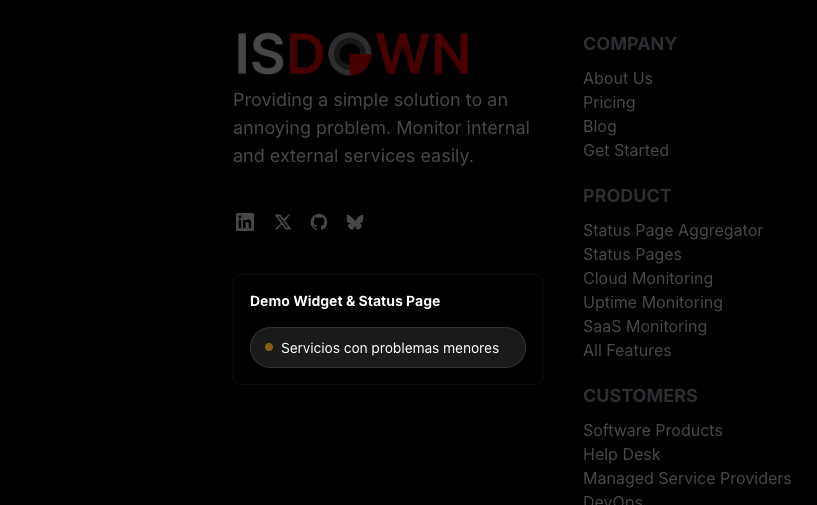
You can now configure custom status messages per language for any IsDown widget. Here's what that looks like in practice:
- Three messages per language: Customize the text for "operational," "minor issue," and "major outage" states - the three messages your widget displays depending on service health.
- Add as many languages as you need: English, Spanish, Portuguese, French, German, Japanese, Arabic, Chinese - add and remove languages dynamically from the widget settings.
- Set a default language: Choose which language loads when no specific language is requested.
- Load translations via URL parameter: Append
?lang=es(or any language code) to your widget embed to load a specific translation. This means you can serve different widget languages on different pages of your site without duplicating widgets. - Automatic fallback: If a requested language isn't configured, the widget falls back to the default language. If the default is missing a message, it falls back to English. No broken states.
Pro-Tip: If you have a multi-language marketing site, embed the same widget on every language version and just change the
?lang=parameter in the embed code. One widget, all your languages.
30+ Pre-Filled Translations
Starting from scratch with translations is tedious. That's why we've included pre-filled status messages for over 30 languages, including Spanish, Portuguese, French, German, Italian, Dutch, etc.
When you add a new language, the status messages auto-fill with the correct translations. You can edit any of them, they're just defaults to save you time.
How to Set It Up
- Go to any widget in your IsDown dashboard and click Edit.
- Scroll to the Languages section.
- Your widget already has English configured as the default. Add any additional languages you need.
- Adjust the status messages per language if the defaults don't fit your tone.
- Save the widget.
- Use the
?lang=CODEparameter in your embed URL to load a specific language.
That's it. No API calls, no separate widget configurations per language. One widget handles everything.
What's Next
This is the first step toward full widget localization. We're exploring additional customization options, including custom colors, custom service names in widgets, and more embed flexibility. If you have specific needs, let us know on our feedback board.
Frequently Asked Questions
How do I add a new language to my widget?
Edit your widget, scroll to the Languages section, type a language code (like es, pt, or fr), and the status messages will auto-fill with pre-built translations. You can customize any message before saving.
What happens if a user requests a language I haven't configured?
The widget falls back to your default language. If the default language is also missing a specific message, it falls back to hardcoded English defaults. Your widget will always display something meaningful.
Can I use different languages on different pages?
Yes. Append ?lang=CODE to your widget embed URL (for example, ?lang=de for German). You can embed the same widget across your site and just change the language parameter per page.
What languages are pre-filled?
Over 30, including Spanish, Portuguese, French, German, Italian, Dutch, and more. All pre-filled messages are editable.
Do I need to create separate widgets for each language?
No. A single widget supports all your configured languages. The language displayed is controlled by the ?lang= URL parameter or the default language setting.
Is this available on all plans?
Yes, multi-language widget status messages are available on all IsDown plans.
 Nuno Tomas
Founder of IsDown
Nuno Tomas
Founder of IsDown
For IT Managers
Monitor all your dependencies in one place
One dashboard with all vendors statuses
A bird's-eye view of all your services in one place.
Get alerts when your vendors are down
Notifications in Slack, Datadog, PagerDuty, etc.
Related articles




Never again lose time looking in the wrong place
14-day free trial · No credit card required · No code required