Is MacStadium Down? Current Status and Outages
MacStadium status updated

Current MacStadium status
MacStadium is working normally
IsDown last checked MacStadium status on at . We've received 0 user reports in the past 24 hours.
Want to know the next time MacStadium is down? Start free 14-day trial.
Monitoring since Apr 2020
·
53 incidents caught
·
5 components tracked in real-time
MacStadium service health over the last 24 hours
This chart shows the number of user-reported issues for MacStadium service health over the past 24 hours, grouped into 20-minute intervals. It's normal to see occasional reports, which may be due to individual user issues rather than a broader problem. Sign up to get alerts when MacStadium is down.
Outage Map
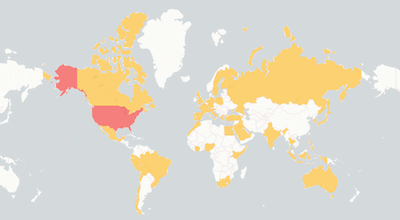
See where users report MacStadium is down. The map shows recent MacStadium outages from around the world.
MacStadium Outage MapTrusted by 1,000+ teams
The Status Page Aggregator with Early Outage Detection
Stop finding out about outages from your users. Monitor 6,320+ cloud services and get alerted the second something breaks.

Related services
Recent MacStadium outages detected
Full incident reports for recent MacStadium outages, including timelines, affected components, and resolution details.
2 days
Jan 22, 2025 at 01:45 PM
2 days
Jan 20, 2025 at 09:30 AM
2 days
Jan 09, 2025 at 01:03 PM
| Title | IsDown detected At | Duration |
|---|---|---|
|
The team has identified an issue affecting private cloud functionalities in Las Vegas, and is exe...
|
Apr 22, 2026 at 06:36 PM UTC
|
about 3 hours |
|
The team has identified an issue with private cloud functionalities in Las Vegas. This affects a ...
|
Apr 21, 2026 at 09:32 PM UTC
|
14 minutes |
|
An incident has occurred with our hosting provider, which is impacting our ability to communicate...
|
Oct 20, 2025 at 03:32 PM UTC
|
about 6 hours |
|
We are aware of an issue preventing users from accessing the Support Center and Bare Metal pages ...
|
Sep 15, 2025 at 02:23 PM UTC
|
about 23 hours |
|
Dear Customers,
We are aware of an issue affecting the Private Cloud service in our Atlanta, GA ...
|
Feb 05, 2025 at 10:22 PM UTC
|
3 days |
|
Dear Customers,
We are aware of an issue affecting the Customer Portal ticketing system. Some us...
|
Feb 03, 2025 at 01:55 PM UTC
|
about 6 hours |
|
As Storm Éowyn approaches the Dublin data center this Friday, we want to assure you that we are f...
|
Jan 22, 2025 at 06:45 PM UTC
|
2 days |
|
As winter weather approaches the Atlanta, Georgia area this Tuesday and Wednesday, we want to ass...
|
Jan 20, 2025 at 02:30 PM UTC
|
2 days |
|
As winter weather approaches the Atlanta, Georgia area this Friday and Saturday, we want to assur...
|
Jan 09, 2025 at 06:03 PM UTC
|
2 days |
|
Valued MacStadium Customers,
On Dec 19th, 2024 from 02:30 UTC to 04:30 UTC, the MacStadium Engine...
|
Dec 05, 2024 at 07:41 PM UTC
|
7 minutes |
MacStadium Components Status
Check if any MacStadium component is down. View the current status of 5 services and regions.
| Component | Status | Details |
|---|---|---|
| Atlanta Data Center status | OK | View details |
| Customer Portal status | OK | View details |
| Dublin Data Center status | OK | View details |
| Las Vegas Data Center status | OK | View details |
| Sunnyvale Data Center status | OK | View details |
Monitor MacStadium alongside these services
Teams that track MacStadium status also keep an eye on these services. Add them all to your IsDown dashboard for a single view of your dependencies.

000webhost
Web Hosting & CDN
OK

Hostinger
Web Hosting & CDN
OK

10Web
Web Hosting & CDN
OK

Netlify
Web Hosting & CDN
MINOR

GoDaddy
Web Hosting & CDN
MINOR

Font Awesome
Web Hosting & CDN
OK

Microsoft Copilot
Productivity Tools
OK

NetSuite
Cloud Platforms
OK

OpenAI ChatGPT
Natural Language AI
OK

Snapchat
Social Media Platforms
OK

LastPass
Identity & Authentication
OK

Instagram
Social Media Platforms
OK

Max Hostings
Web Hosting & CDN
OK

BrandCo
Web Hosting & CDN
OK

KingHost
Web Hosting & CDN
OK

Gamma App
Web Hosting & CDN
OK
About MacStadium Status and Outage Monitoring
IsDown has monitored MacStadium continuously since April 2020, tracking this Web Hosting & CDN for 6 years. Over that time, we've documented 53 outages and incidents, averaging 0.7 per month.
We monitor MacStadium's official status page across 5 components. IsDown interprets MacStadium statuses (operational, degraded performance, partial outage, and major outage) to deliver precise health metrics and filter alerts by the components you actually use.
To check if MacStadium is down, IsDown combines official status data with user reports for early detection. Vendors often delay acknowledging problems, so user reports help us alert you before the official announcement.
Engineering and operations teams rely on IsDown to track MacStadium status and receive verified outage alerts through Slack, Teams, PagerDuty, or 20+ other integrations.
How IsDown Monitors MacStadium
IsDown checks MacStadium's status page every few minutes, across all 5 components. We combine official status data with user reports to detect when MacStadium is down, often before the vendor announces it.
When MacStadium status changes, IsDown sends alerts to your preferred channels. Filter by severity to skip noise and focus on outages that affect your business.
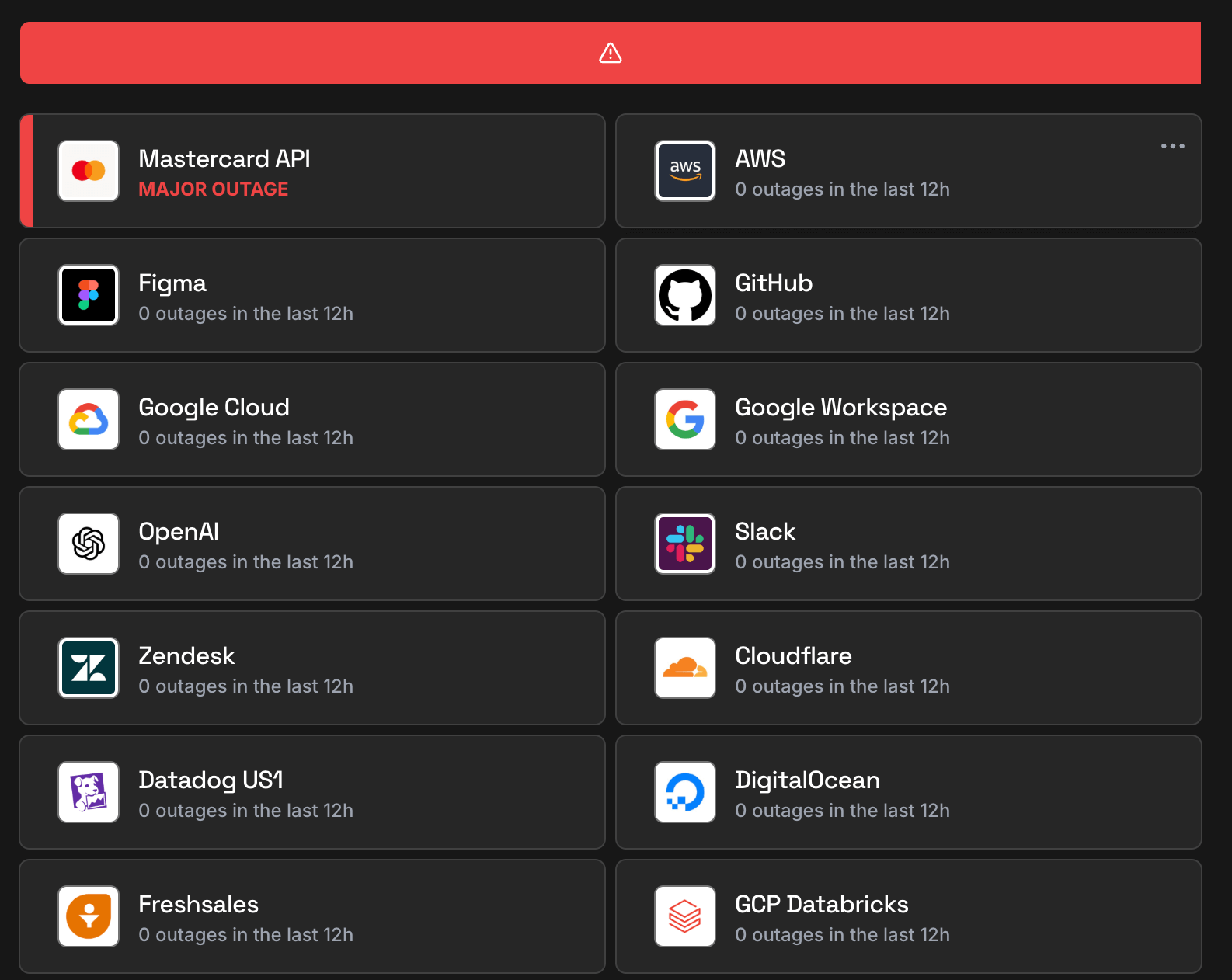
What you get when monitoring MacStadium with IsDown
Track MacStadium incidents and downtimes by severity
IsDown checks MacStadium official status page for major/minor outages or downtimes. A major outage is when MacStadium experiences a critical issue that severely affects one or more services/regions. A minor incident is when MacStadium experiences a small issue affecting a small percentage of its customer's applications. An example is the performance degradation of an application. The moment we detect a MacStadium outage, we send you an alert and update your dashboard and status page.
Get alerted as soon as users report problems with MacStadium
MacStadium and other vendors don't always report outages on time. IsDown collects user reports to provide early detection of outages. This way, even without an official status update, you can stay ahead of possible problems.
All the details of MacStadium outages and downtimes
IsDown collects all information from the outages published in MacStadium status page to provide the context of the outage. If available, we gather the title, description, time of the outage, status, and outage updates. Another important piece of information is the affected services/regions which we use to filter the notifications that impact your business.
Prepare for upcoming MacStadium maintenance events
MacStadium publishes scheduled maintenance events on their status page. IsDown collects all the information for each event and creates a feed that people can follow to ensure they are not surprised by unexpected downtime or problems. We also send the feed in our weekly report, alerting the next maintenances that will take place.
Only get alerted on the MacStadium outages that impact your business
IsDown monitors MacStadium and all their 5 components that can be affected by an outage. IsDown allows you to filter the notifications and status page alerts based on the components you care about. For example, you can choose which components or regions affect your business and filter out all other outages. This way you avoid alert fatigue in your team.
Simple & powerful
How IsDown works.
Get started in minutes. Monitor all your critical services from one place.
We monitor official status pages
IsDown checks the status of over 6,320+ services every few minutes. We aggregate official status information and normalize it, plus collect crowdsourced reports for early outage detection.
You get notified instantly
When we detect an incident or status change, you receive an alert immediately. Customize notifications by service, component, or severity to avoid alert fatigue.
Everything in one dashboard
View all your services in a unified dashboard or public / private status page. Send alerts to Slack, Teams, PagerDuty, Datadog, and 20+ other tools your team already uses.
Get started free
No credit card required · 14-day free trial
MacStadium Downdetector vs IsDown
Looking for MacStadium outage alerts like Downdetector? IsDown monitors MacStadium's official status page for verified incident data, not just user reports. Know exactly when MacStadium is down, which components are affected, and when service health is restored. Here's why official MacStadium status monitoring beats crowdsourced detection:
| Features | IsDown | Downdetector |
|---|---|---|
| Official MacStadium status page monitoring. Know when MacStadium is down with real time incident details. | ||
| Monitor 6,320+ services including MacStadium in a single dashboard. | ||
| Instant MacStadium outage alerts sent to Slack, Teams, PagerDuty, and more. | ||
| Combined monitoring: MacStadium official status plus user reports for early outage detection. | ||
| Maintenance feed for MacStadium | ||
| Granular alerts filtering by MacStadium components and regions. |
Monitor MacStadium Status with IsDown
14-day free trial • No credit card required
Frequently Asked Questions
Is MacStadium down today?
MacStadium isn't down. You can check MacStadium status and incident details on the top of the page. IsDown continuously monitors MacStadium official status page every few minutes. In the last 24 hours, there were 0 outages reported.
What is the current MacStadium status?
MacStadium is currently operational. You can check MacStadium status and incident details on the top of the page. The status is updated in almost real-time, and you can see the latest outages and issues affecting customers.
Is there a MacStadium outage now?
No, there is no ongoing official outage. Check on the top of the page if there are any reported problems by other users.
Is MacStadium down today or just slow?
Currently there's no report of MacStadium being slow. Check on the top of the page if there are any reported problems by other users.
How are MacStadium outages detected?
IsDown monitors the MacStadium official status page every few minutes. We also get reports from users like you. If there are enough reports about an outage, we'll show it on the top of the page.
Is MacStadium having an outage right now?
MacStadium last outage was on April 22, 2026 with the title "Las Vegas VPC and ASAv Partial Outage"
How often does MacStadium go down?
IsDown has tracked 53 MacStadium incidents since April 2020.
Is MacStadium down for everyone or just me?
Check the MacStadium status at the top of this page. IsDown combines official status page data with user reports to show whether MacStadium is down for everyone or if the issue is on your end.
What MacStadium components does IsDown monitor?
IsDown monitors 5 MacStadium components in real-time, tracking the official status page for outages, degraded performance, and scheduled maintenance.
How to check if MacStadium is down?
- Subscribe (if possible) to updates on the official status page.
- Create an account in IsDown. Start monitoring MacStadium and get alerts in real-time when MacStadium has outages.
Why use IsDown to monitor MacStadium instead of the official status page?
Because IsDown is a status page aggregator, which means that we aggregate the status of multiple cloud services. You can monitor MacStadium and all the services that impact your business. Get a dashboard with the health of all services and status updates. Set up notifications via Slack, Datadog, PagerDuty, and more, when a service you monitor has issues or when maintenances are scheduled.
How IsDown compares to DownDetector when monitoring MacStadium?
IsDown and DownDetector help users determine if MacStadium is having problems. The big difference is that IsDown is a status page aggregator. IsDown monitors a service's official status page to give our customers a more reliable source of information instead of just relying on reports from users. The integration allows us to provide more details about MacStadium's Outages, like incident title, description, updates, and the parts of the affected service. Additionally, users can create internal status pages and set up notifications for all their third-party services.
Latest Articles from our Blog




Monitor MacStadium status and get alerts when it's down
14-day free trial · No credit card required · No code required