Is Chrome Browser Down? Current Status and Outages
Chrome Browser status updated a few minutes ago

Current Chrome Browser status
Chrome Browser is working normally
IsDown last checked Chrome Browser status on at . We've received 4 user reports in the past 24 hours.
Want to know the next time Chrome Browser is down? Start free 14-day trial.
Monitoring since Sep 2025
·
1 incidents caught
Chrome Browser service health over the last 24 hours
This chart shows the number of user-reported issues for Chrome Browser service health over the past 24 hours, grouped into 20-minute intervals. It's normal to see occasional reports, which may be due to individual user issues rather than a broader problem. Sign up to get alerts when Chrome Browser is down.
Outage Map
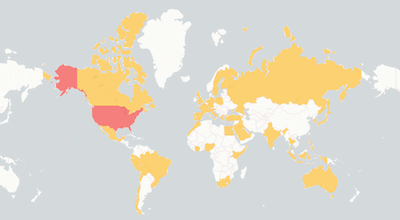
See where users report Chrome Browser is down. The map shows recent Chrome Browser outages from around the world.
Top locations, last 24h:
- Canada
- Germany
Trusted by 1,000+ teams
The Status Page Aggregator with Early Outage Detection
Stop finding out about outages from your users. Monitor 6,320+ cloud services and get alerted the second something breaks.

Recent Chrome Browser outage reports
See what users report when Chrome Browser is down and how Chrome Browser outages affect them.
-
🇺🇸 United States of America
does not come up on screen anymore.
-
🇦🇺 Australia
Olivia - The browser will not load any new content. It is stuck in the loading screen for any new search. Microsoft Edge is not experiencing this issue..
-
🇹🇷 Turkiye
Deniz - Can't open any address using Chrome. The connection was reset message appears..
-
🇺🇸 United States of America
Ali - When using Chrome and typing a website, Google searches indefinitely and displays a long string of characters not relevant to the website. (Some of the websites are Kaiser, Facebook, and Montgomery County offices.) I also tried multiple times to delete Google, but it kept running in the backgroun....
-
🇬🇧 United Kingdom of Great Britain and Northern Ireland
Chrome is unusable compared to Edge. It is uber slow, takes a long time to load a page and is currently a time waster..
-
🇺🇸 United States of America
Error 404 for over an hour when trying to reach gmail.com.
-
🇺🇸 United States of America
John - I open Chrome to a specfic site. I then leave to open my password doc for site I wish to visit but when I return to the browser that site on which was on is gone..
-
🇵🇾 Paraguay
It does not load at all, I am on my computer and my background does not even load on google and when i search something it says the site can not be reached. It is not my internet connection because microsoft edge works just fine..
-
🇺🇸 United States of America
ren - Other browsers work fine Chrome is not connecting.
-
🇺🇸 United States of America
Joanna - Chrome is not loading web pages as if it cannot connect to the internet..
-
🇳🇬 Nigeria
abdullah - crome is not loading any page.
-
🇨🇦 Canada
tony - chrome will not launch. have updated latest MS download. Edge does load however..
-
🇺🇸 United States of America
I am clicking on my Chrome icon and nothing is happening. Chrome "opens" but just to a completely blank screen. It's just a void. Other browsers are working so it's not an internet or computer issue..
-
🇺🇸 United States of America
Not able to load login page.
-
🇰🇪 Kenya
MY GOOGLE CHROME IS NOT RESPONDING TO ANY SEARCH. THEY ARE LOADING NONSTOP.
Early detection is everything
User reports often detect issues before official status pages acknowledge them.
Learn how crowdsourced monitoring
combined with official status pages provides faster outage detection than
relying on either approach alone.
Related services
Microsoft Azure
Cloudflare
Google Workspace
Gmail
AWS
Google Drive
Google Calendar
Google Chat
HMH
Renaissance Learning
i-Ready
Pearson
Google Play
Savvas
Youtube
Microsoft Azure
Cloudflare
Google Workspace
Gmail
AWS
Google Drive
Google Calendar
Google Chat
HMH
Renaissance Learning
i-Ready
Pearson
Google Play
Savvas
Youtube
Recent Chrome Browser outages detected
Full incident reports for recent Chrome Browser outages, including timelines, affected components, and resolution details.
30 minutes
Users report possible problems with Chrome Browser
May 12, 2026 at 01:04 AM
Never acknowledged
| Title | IsDown detected At | Duration |
|---|---|---|
|
Users report possible problems with Chrome Browser
|
May 12, 2026 at 05:04 AM UTC
Never acknowledged
|
30 minutes |
Monitor Chrome Browser alongside these services
Teams that track Chrome Browser status also keep an eye on these services. Add them all to your IsDown dashboard for a single view of your dependencies.

Braintrust
Other
OK

Rybbon
Other
OK

AppState
Other
OK

TalkingPoints
Other
OK

CleanShot
Other
OK

Ecosmic
Other
OK

Firebase
Developer Platforms
OK

Twilio
VoIP & Communication
MINOR

Okta
Identity & Authentication
OK

Auth0
Identity & Authentication
OK

Braze
Customer Data & Analytics
OK
Google Play
E-Commerce
OK

Lollipop
Other
OK

FameSystems
Other
OK

Qualio
Other
OK
About Chrome Browser Status and Outage Monitoring
IsDown has monitored Chrome Browser continuously since September 2025, tracking this Other for 1 year.
To check if Chrome Browser is down, IsDown combines official status data with user reports for early detection. Vendors often delay acknowledging problems, so user reports help us alert you before the official announcement.
Engineering and operations teams rely on IsDown to track Chrome Browser status and receive verified outage alerts through Slack, Teams, PagerDuty, or 20+ other integrations.
How IsDown Monitors Chrome Browser
IsDown checks Chrome Browser's status page every few minutes. We combine official status data with user reports to detect when Chrome Browser is down, often before the vendor announces it.
When Chrome Browser status changes, IsDown sends alerts to your preferred channels. Filter by severity to skip noise and focus on outages that affect your business.
Simple & powerful
How IsDown works.
Get started in minutes. Monitor all your critical services from one place.
We monitor official status pages
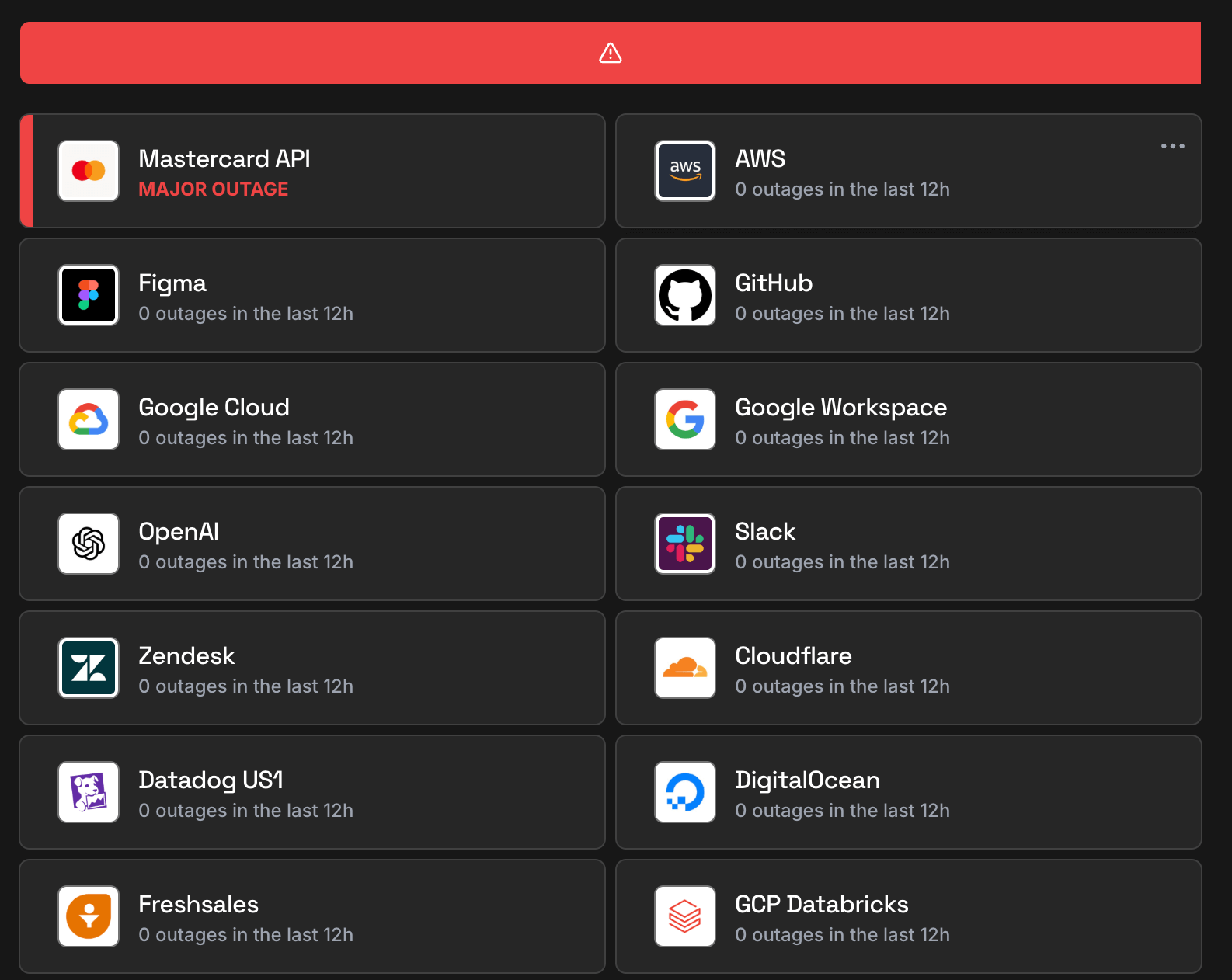
IsDown checks the status of over 6,320+ services every few minutes. We aggregate official status information and normalize it, plus collect crowdsourced reports for early outage detection.
You get notified instantly
When we detect an incident or status change, you receive an alert immediately. Customize notifications by service, component, or severity to avoid alert fatigue.
Everything in one dashboard
View all your services in a unified dashboard or public / private status page. Send alerts to Slack, Teams, PagerDuty, Datadog, and 20+ other tools your team already uses.
Get started free
No credit card required · 14-day free trial
Frequently Asked Questions
Is Chrome Browser down today?
Chrome Browser isn't down. You can check Chrome Browser status and incident details on the top of the page. IsDown continuously monitors Chrome Browser official status page every few minutes. In the last 24 hours, there were 0 outages reported.
What is the current Chrome Browser status?
Chrome Browser is currently operational. You can check Chrome Browser status and incident details on the top of the page. The status is updated in almost real-time, and you can see the latest outages and issues affecting customers.
Is there a Chrome Browser outage now?
No, there is no ongoing official outage. Check on the top of the page if there are any reported problems by other users.
Is Chrome Browser down today or just slow?
Currently there's no report of Chrome Browser being slow. Check on the top of the page if there are any reported problems by other users.
How are Chrome Browser outages detected?
IsDown monitors the Chrome Browser official status page every few minutes. We also get reports from users like you. If there are enough reports about an outage, we'll show it on the top of the page.
Is Chrome Browser having an outage right now?
We don't have a record of Chrome Browser last outage
How often does Chrome Browser go down?
IsDown has tracked 0 Chrome Browser incidents since September 2025.
Is Chrome Browser down for everyone or just me?
Check the Chrome Browser status at the top of this page. IsDown combines official status page data with user reports to show whether Chrome Browser is down for everyone or if the issue is on your end.
How IsDown compares to DownDetector when monitoring Chrome Browser?
IsDown and DownDetector help users determine if Chrome Browser is having problems. The big difference is that IsDown is a status page aggregator. IsDown monitors a service's official status page to give our customers a more reliable source of information instead of just relying on reports from users. The integration allows us to provide more details about Chrome Browser's Outages, like incident title, description, updates, and the parts of the affected service. Additionally, users can create internal status pages and set up notifications for all their third-party services.
Latest Articles from our Blog


Monitor Chrome Browser status and get alerts when it's down
14-day free trial · No credit card required · No code required